Navigate to the Kubernetes web console from Che
Navigate to the Kubernetes web console from the Che dashboard to manage cluster resources, inspect pods, and troubleshoot workspace issues without leaving your workflow.
Prerequisites
-
You have the Che Operator available in OpenShift 4.
Procedure
-
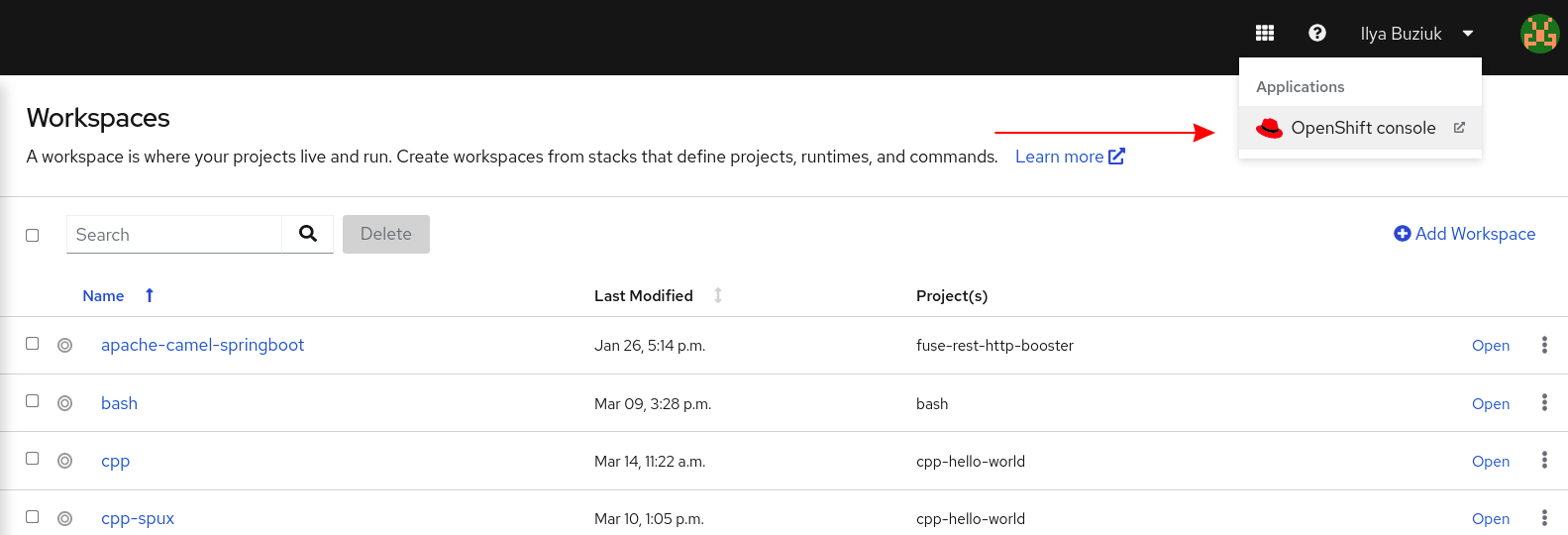
Open the Che dashboard and click the three-by-three matrix icon in the upper right corner of the main screen.
The drop-down menu displays the available applications.
-
Click the OpenShift console link to open the OpenShift web console.